Entry 20 Video Reflection
Entry 19 Thank you
I went and thanked all my participants for taking the time to view/participate in my instructional sessions. They did an amazing job at providing me with feedback and completing their necessary assignments via Google Classroom.
Entry 18 Socrative Instructional Session
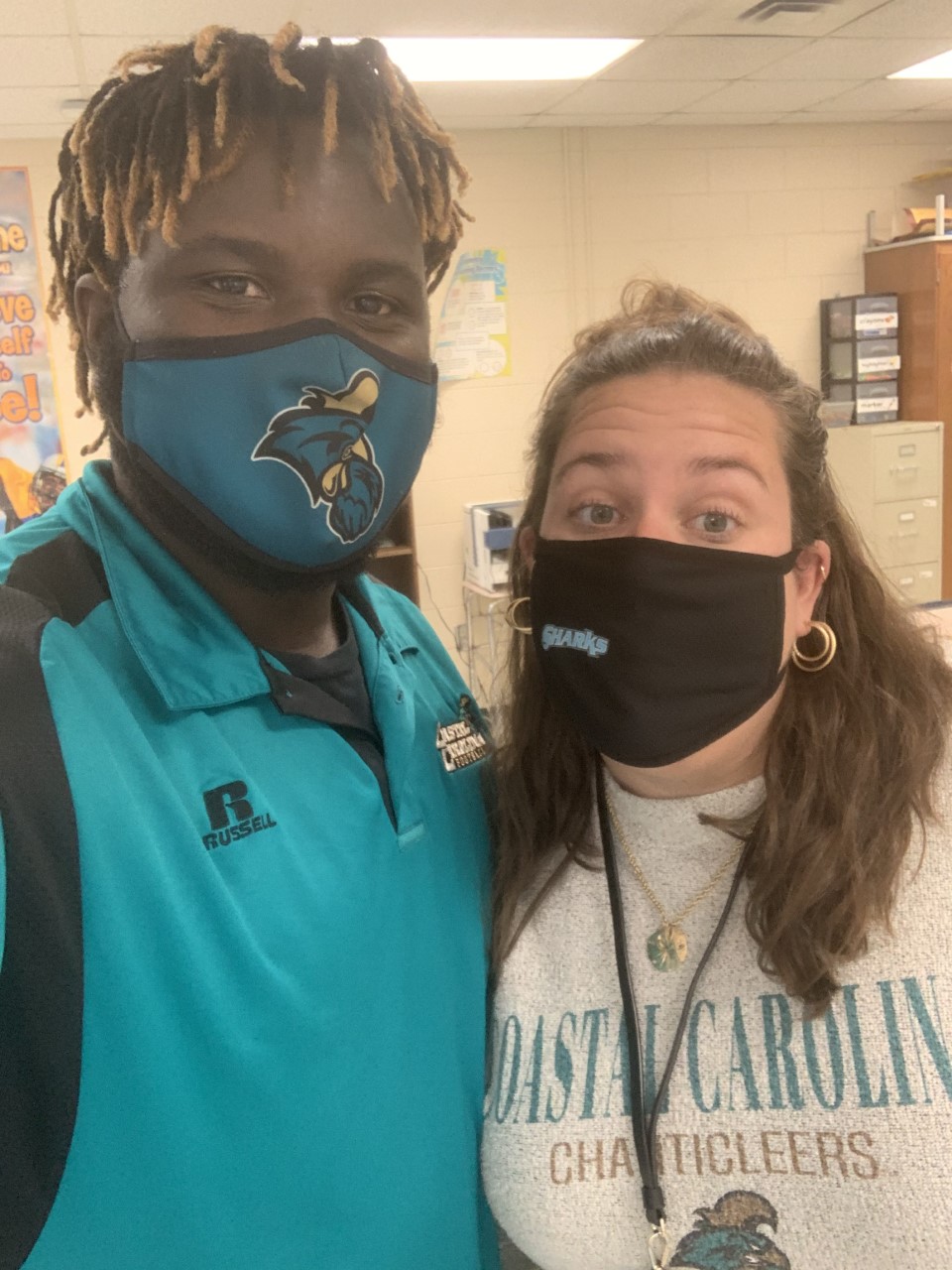
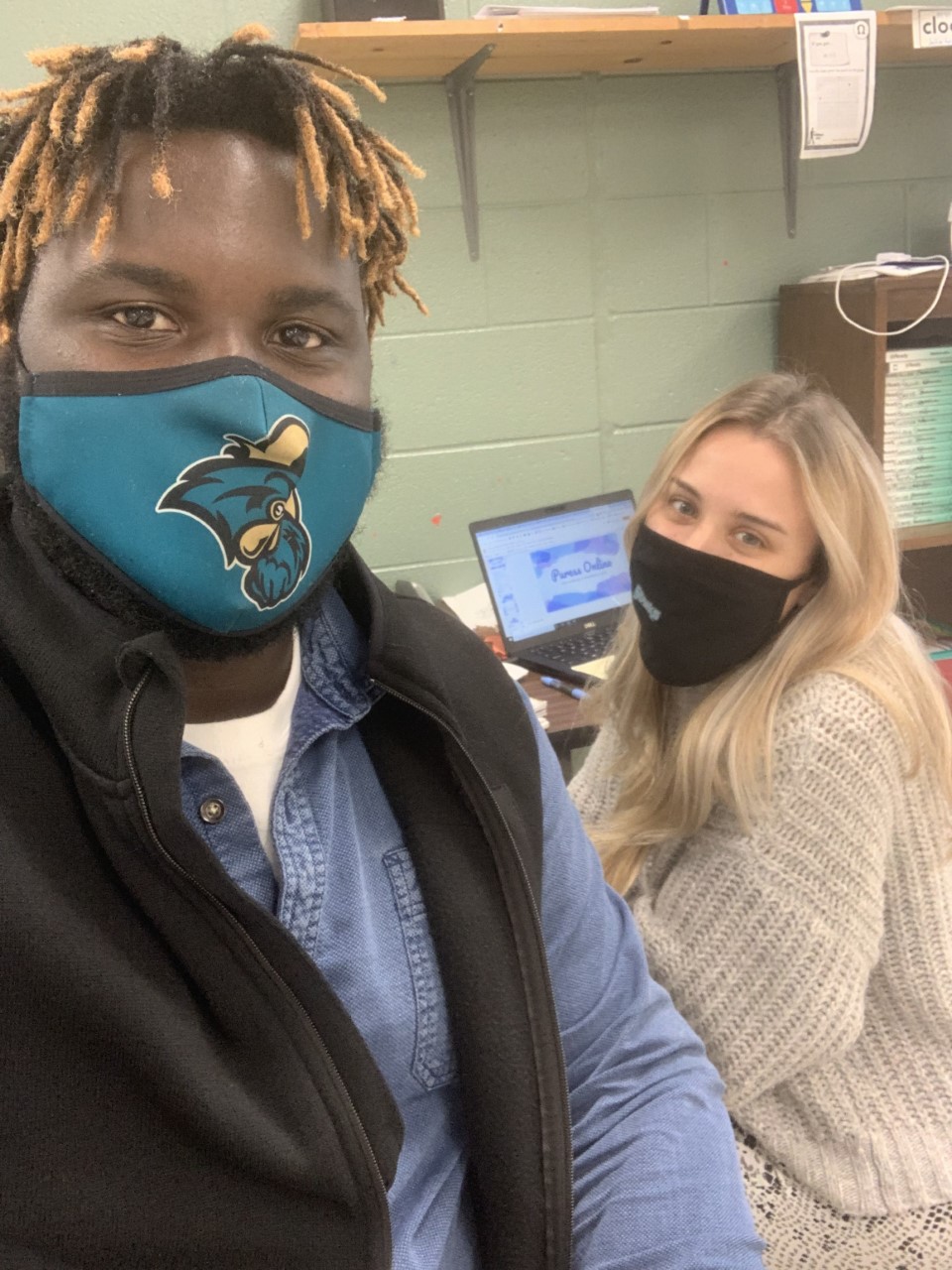
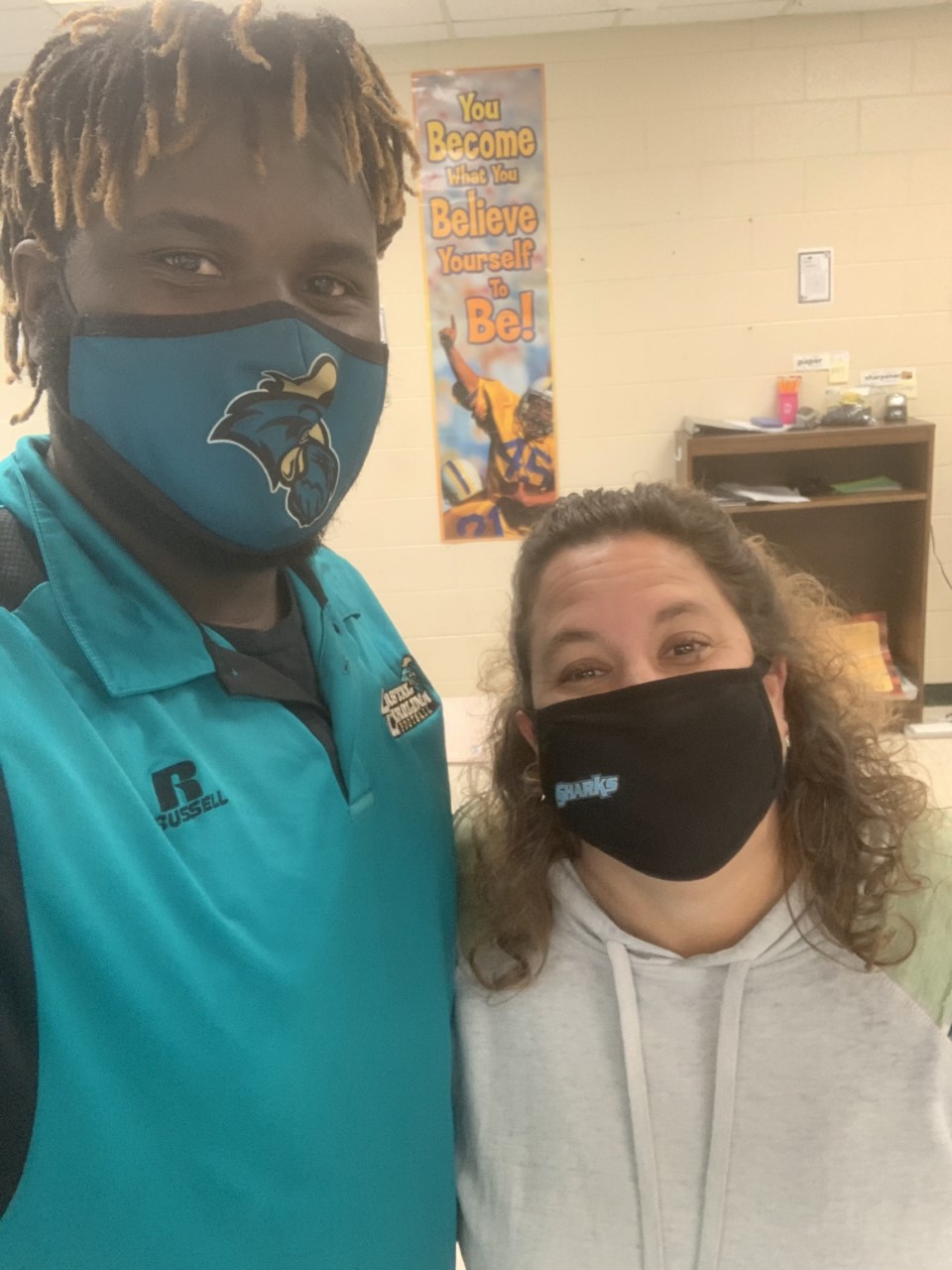
This session encompassed the site called “Socrative”. This is another student engagement site along with assessment tool that educators can utilize. Screencastify was utilized to record my session so that I can distribute it to all my participants. This is the last session and I plan to thank each of my participants personally.
Entry 17 Responses from Instructional Sessions Feedback Google Form 11/20
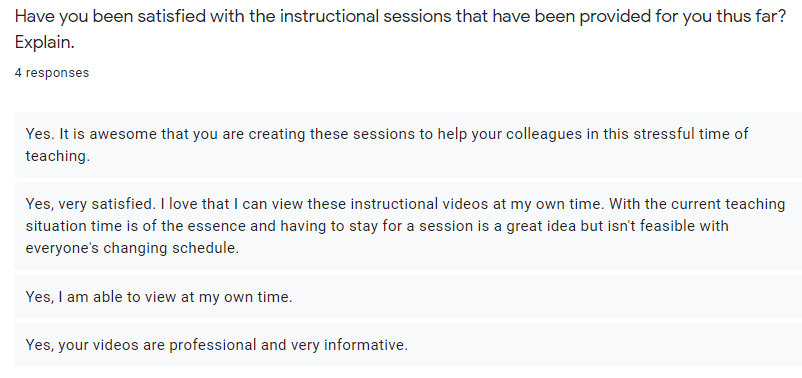
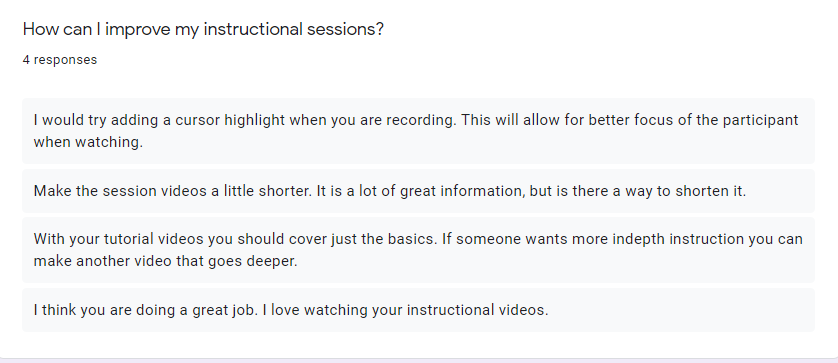
I reviewed the responses to the google form that I sent out. This helped me to reflect on my practices and better serve my participants. I did not have participants supply their name or email when they completed the form. As an instructional designer you must find ways to reach your audience and value their feedback. I posted an announcement in our LMS (GoogleClassroom) thanking those who were able to provide feedback.
Entry 16 Quick Screencastify Recorded Video 11/19
None of my participants asked about technologies that would help them record lessons or deliver pre recorded lessons to students. I took it upon myself to create this short instructional video of screencastify showcasing how to download it for chrome. Screencastify is a great technology tool that many districts employ during Covid-19 to deliver instruction to students. I also sent my participants an example of one of my lessons that I recorded using screencastify.
Entry 16 Quizizz Tutorial Session 11/19
This session focused on the Quizizz Platform. Participants were emailed a link to the recorded session along with instructions for their Google Classroom Assignment. Also reminded participants to complete the feedback form so that I can better serve them.
Entry 15 Google Drive One on One 11/17
One of my participants asked me to stay after school and have a brief session overview. Her biggest take away was knowing how to set certain items or set as priority in Google Drive so it is easy to find. She uses certain documents on a daily basis and wanted a quick way to access them.
Entry 14 Participant Feedback 11/16
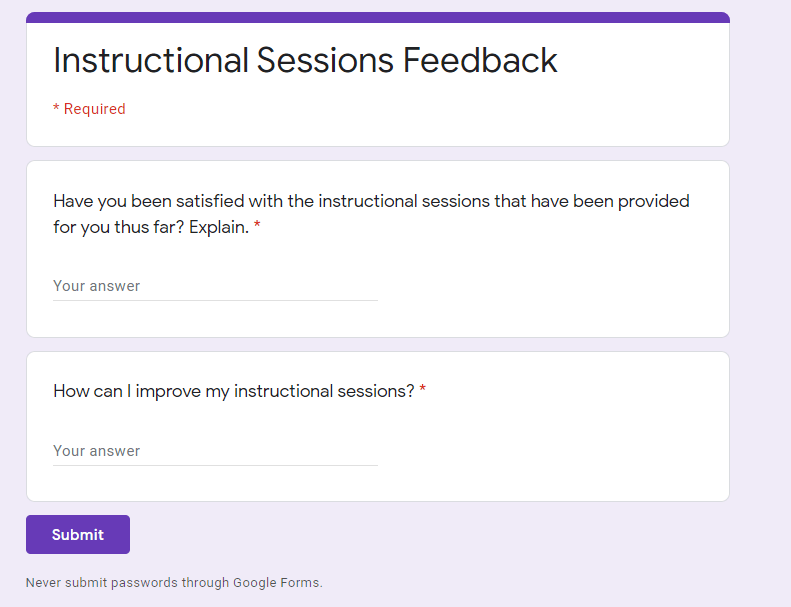
With my low turnout of face to face participation it is vital that I try to obtain feedback from participants as they are watching my recorded sessions on their own time. I created a short google form that ask two vital questions that would give me insight into how I can better serve my audience and how I become a more effective digital instructional coach.
Entry 13 Google Drive Instructional Session 11/16
This session consisted of no physical participants to due conflicting schedules. During the planning phase of my instructional sessions some participants stated they would be present for the sessions, but schedules do change and I am making sure that everyone receives my recordings along with announcements that I post via Google Classroom.
In this session I go over the essentials of google drive. Some colleagues are pros with Google Drive while others need a refresher.
Entry 12 PowToons Instructional Session 11/11
This session consisted of one present participle with others receiving the recording via google classroom. For having one participant I would say this session went well. I think I will create a google form to get feedback from my participants to see how I can improve my sessions/recordings. Through our google classroom page participants will upload a screenshot of their editing workspace on PowToon. The recording our the session is below.
Entry 11 Extra Help 11/11 During Planning Period
One of my participants asked me to stay after school with her to help her create an assessment item for her 8th graders. She needed one on one assistance with creating graphs, searching for content related to her topic, and working with the many tech enhanced assessment item tools. She left our mini help session with a smile and a fully functional digital assessment assigned to her students through Google Classroom.
Entry 10 Edulastic Instructional Tutorial Session 11/10
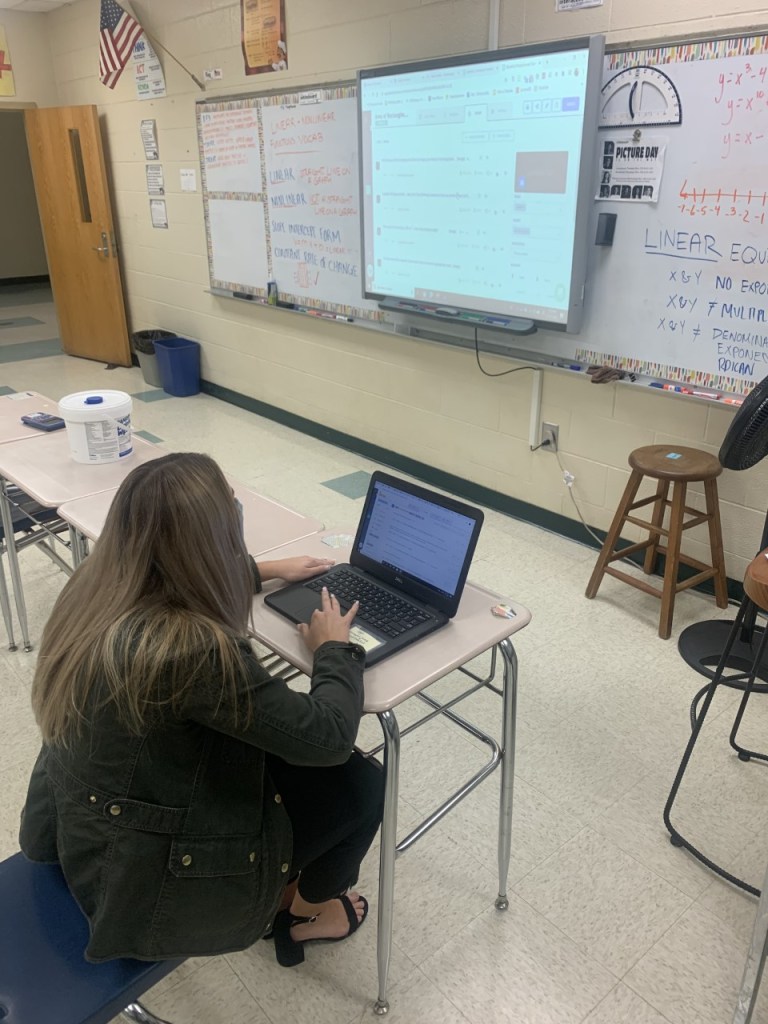
Held my 1st session today. It was awesome. The two who decided to come in person really enjoyed the session. I posted the recorded video in our googleclassroom for the other to watch. Our session was about 40 minutes long. Below is the recorded video (I uploaded it on my youtube channel so that I can embed the video into this blog.
Entry 9 Twas the Night Before November 9
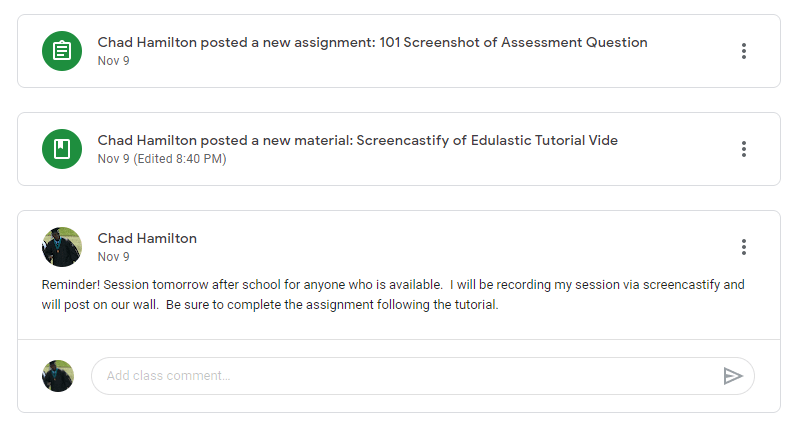
Looks like tomorrow I will only have two people physically present for the instructional tutorial. Others have asked to be sent the pre recorded via because of time conflict. I posted a reminder on our googleclassroom page about the session. I also went ahead and created the assignment 101 and I created the heading for where the prerecorded instructional video will be housed.
Entry 8 Planning October October 28
I am done with outlining my first session which will encompass the online assessment tool “Edulastic”. I have made numerous revision to my plan for deliver the “Edulastic” training. Never thought it would be so tough to decide what key points I want to make and keep participants time in mind. Through the JIT and google from response some educators want a reliable way to access their students knowledge. I can not wait to hold my session, which will be on Nov. 9.
Entry 7 Planning October 17, 2020
I have started outlining my first couple sessions. These sessions will be tutorials on how to use and how to implement the tool at hand. These sessions will cover PowToons to help with student engagement, Kami to aid with creating editable digital worksheets for students to complete, and Edulastic to aid with digital assessments. I did not realize how much time it takes to plan these out. These are only the first of many. Pacing my self and giving my self time to outline the process makes it a bit easier.
Entry 6 Data from the Form October 12
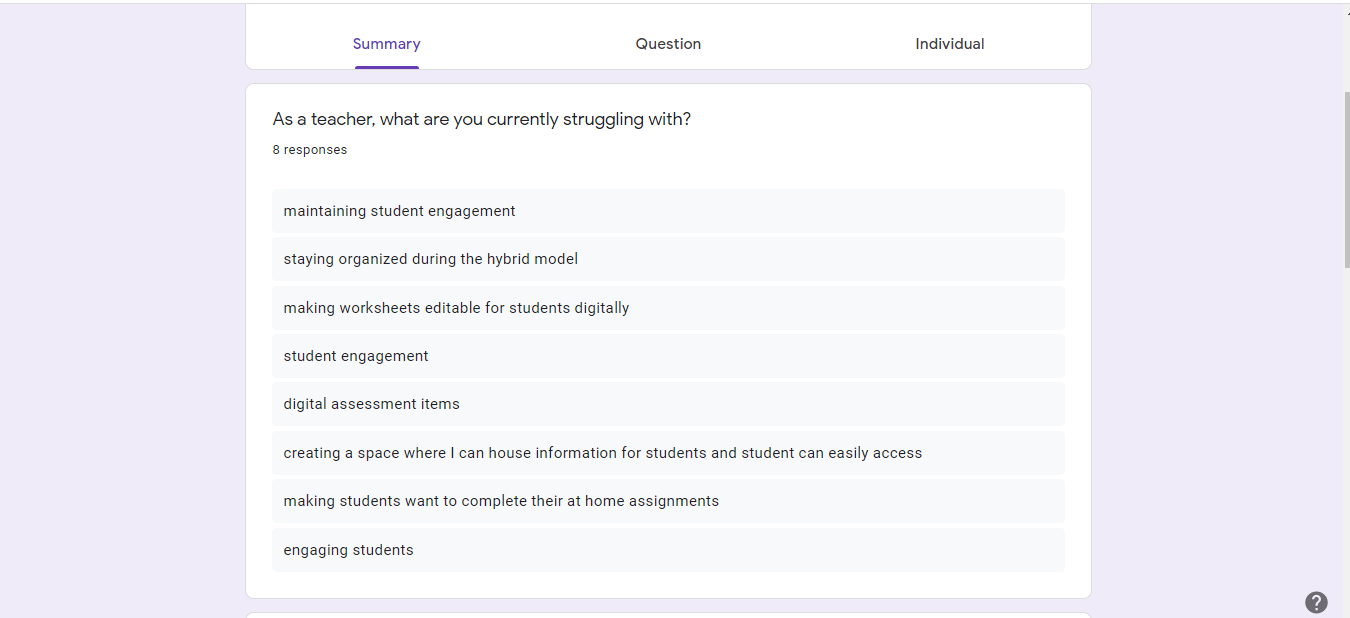
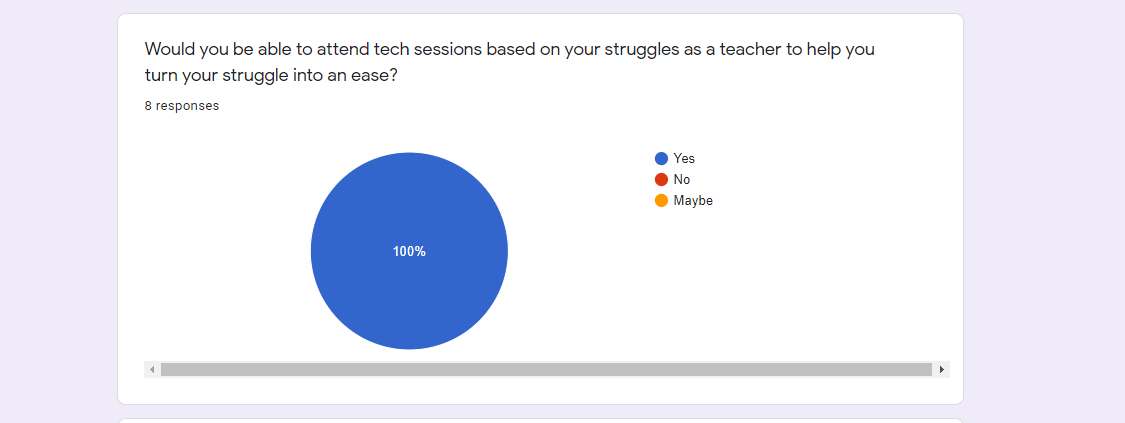
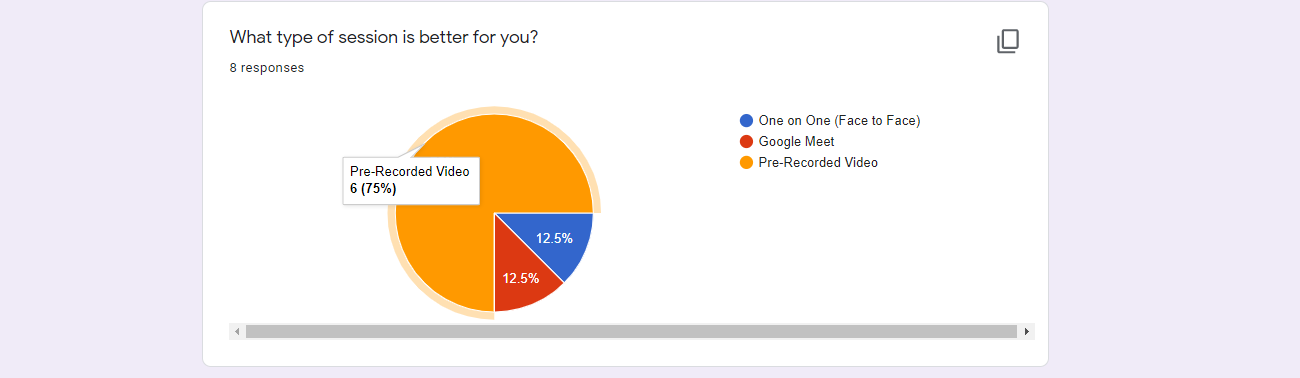
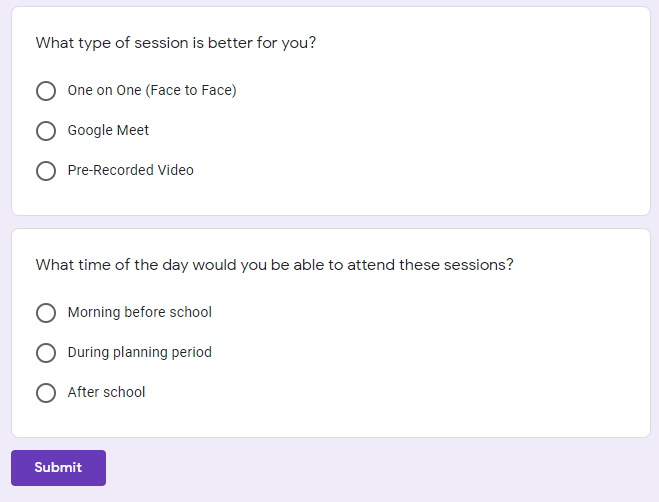
Even though I utilized JIT for my needs based assessment I also utilized a google form to reach out and receive responses from colleagues. The areas of struggles these teachers said they were dealing with stemmed from student engagement, creating effective digital assessments, to turning worksheets into editable digital documents. The screenshot of my google form results below lays out all the struggles reported. Majority of teachers opted for pre-recorded lessons. As I stated in my last post many teachers have other obligations after school and during planning time they are consumed with daily duties. Looking at the data images 100% said they would be able to attend a session. I consider a participant watching a pre-recorded session as attending a session.
Entry 5 JIT Data Data Data October 2, 2020
Through my JIT (needs assessment) I found out that most of my teacher colleagues are struggling with student engagement. Some others expressed that they are unorganized with all the paperwork they are dealing with and finding effective digital assessment tools. 95% of the teachers who I interviewed requested to be sent pre-recorded sessions. Many are dealing with schedule changes and after school priorities. During their planning period at school teachers are communicating with virtual students who are at home complete digital work. When sessions start participants will view through face to face, google meet, or pre-recorded video. I am able to adapt and adjust to the needs of my participants.
Entry 4 Information Storage September 20, 2020
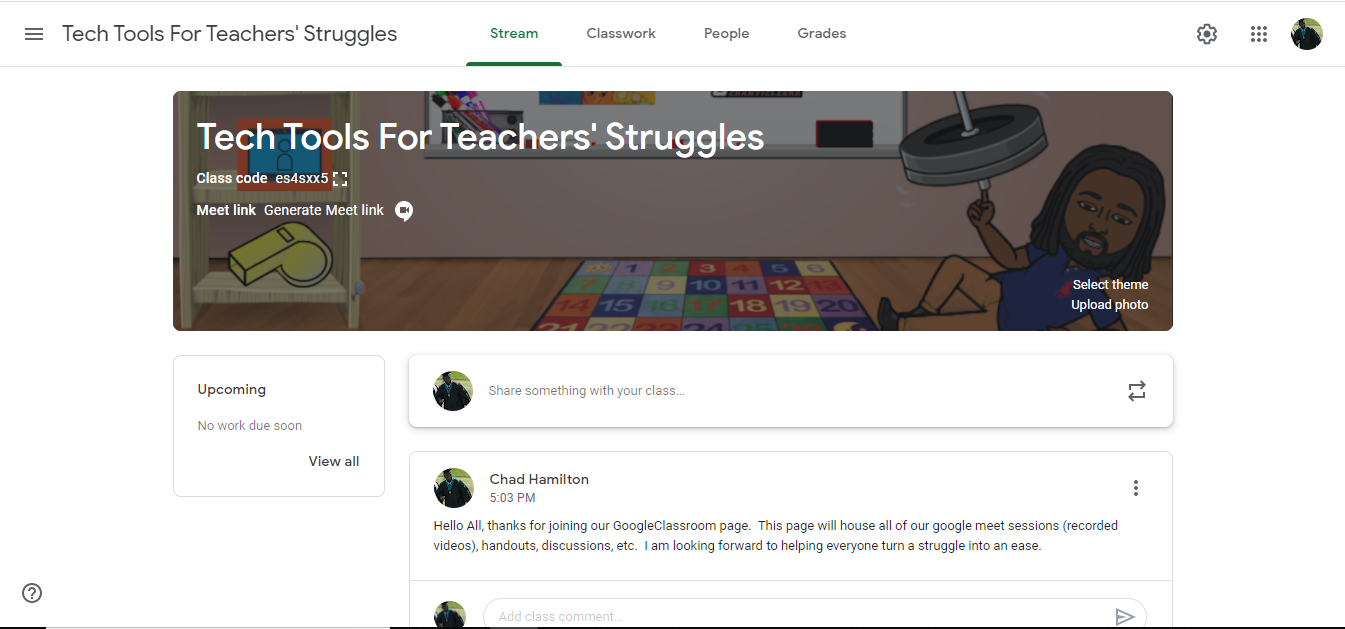
Using the learning system GoogleClassroom I created a place to house all information including sessions (videos), handouts, discussions, and assessment pieces.
Entry 3 Rolling, Rolling, and Rolling September 15, 2020
Dr. Winslow gave me the idea of having a few focus group interviews with some of my teacher colleagues. Through having one on one interviews and asking the question, “What Are You Currently Struggling With as a Teacher” syncs with the instructional design process called JIT. JIT is defined as “just in time training”. This will bring about a high level of participation because teachers will perceive it as immediately relevant.
Entry 2 I Think I Have A Plan September 11, 2020
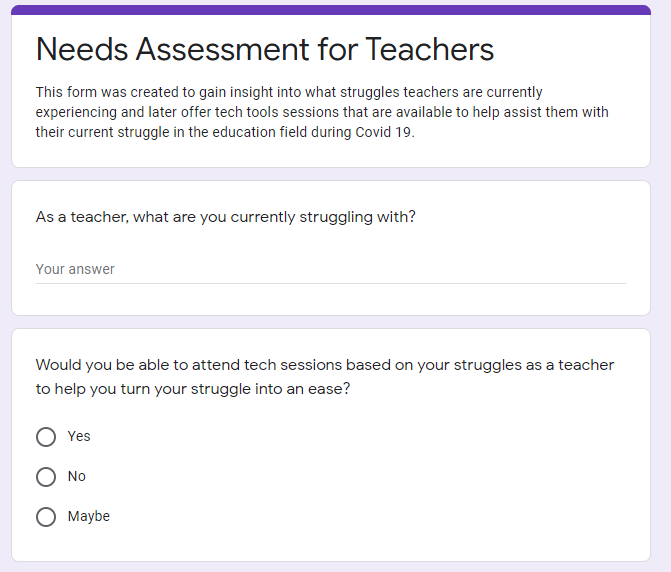
Through speaking with my Instructional Coach and Digital Integration Specialist at my school I have realized that I need to create a needs based assessment outlining the question ” What Currently Are You Struggling With as a Teacher”. The needs based assessment will be created using Google Form. My teacher colleagues will fill out the form and I will base my sessions from the results.
Entry 1 Let’s Start Somewhere September 5, 2020
It has been a crazy start to the school year. Myself and other teachers are trying to build our lessons and find an effective way to deliver our instruction through our districts hybrid model. I see that majority of my teacher colleagues are struggling with implementing technology tools to make their instruction effective or their lives easier. I have been brainstorming ideas/topics for my field experience that would greatly benefit my colleagues and myself.
 Chad Hamilton